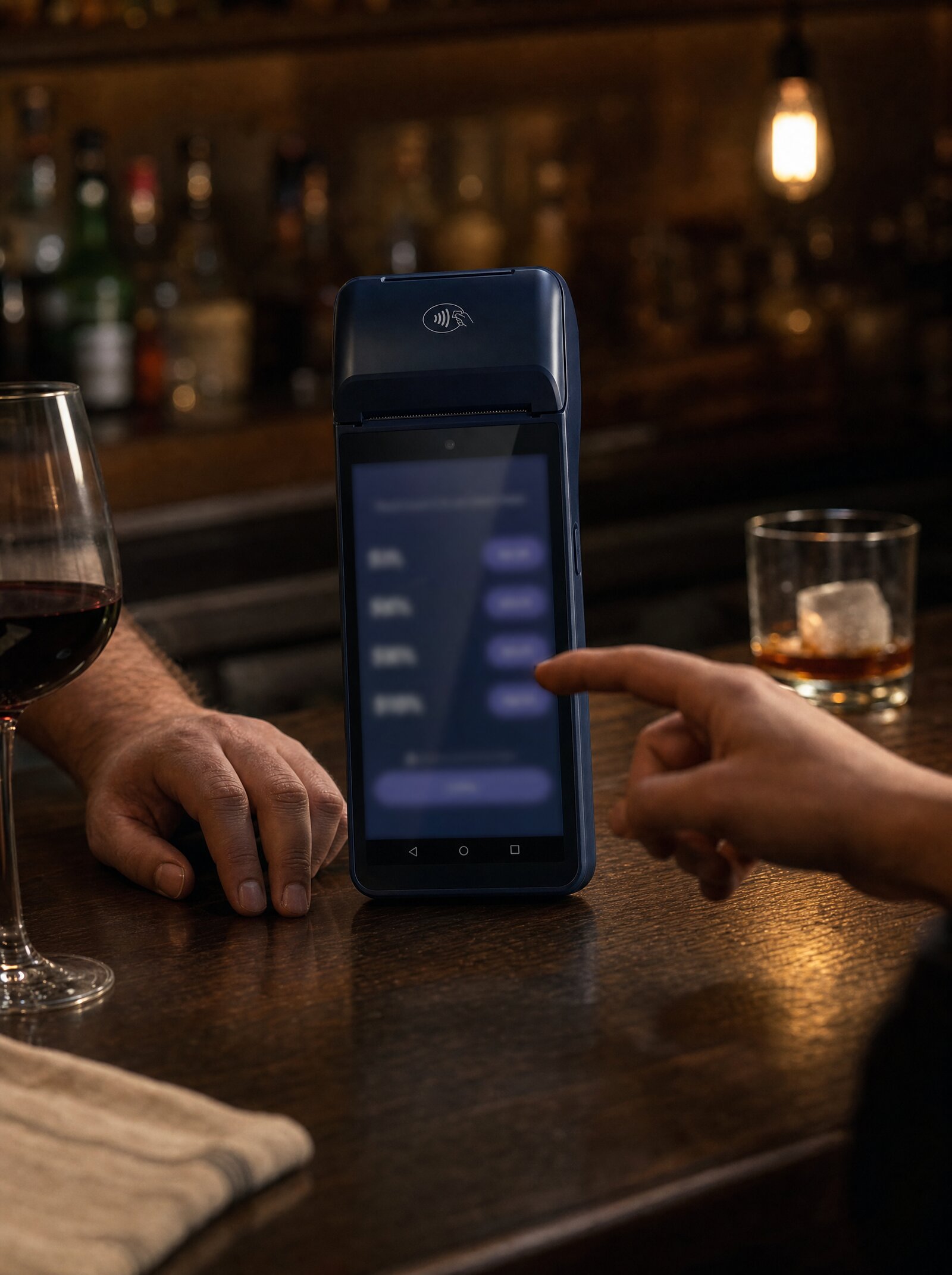
Tipping, Done Properly
Three preset percentages or amounts, optional custom entry, percentage-or-amount display, all configurable per merchant, store, or terminal. Tips captured in the same transaction. No second authorization, no reconciliation gap. Ready out of the box for F&B, hospitality, and personal services.
Six Endpoints. Three Levels. One Cascading Model.
Tips configuration is configurable at three levels — merchant, store, terminal — and inherits down the chain. Six endpoints (set and fetch at each level) cover the full surface. No firmware updates, no device-by-device provisioning, no manual reconfiguration when norms change.
Tipping behaviour is part of the platform configuration, not the terminal firmware. Updates take effect on the next transaction. A franchise rolling out a new tipping policy across 200 stores writes one config call.
Captured in the same transaction
The tip is part of the same authorization as the bill. No separate charge, no risk of partial capture, no awkward two-tap UX. The merchant gets one transaction, one settlement entry, one receipt line — with the tip itemized cleanly for reporting.
How Tipping Works
Configure tipping at the merchant level
                          PATCH /merchants/:merchantId/tips
{
  "tipConfig": "ENABLED",
  "tipLevel1": 10,
  "tipLevel2": 15,
  "tipLevel3": 20,
  "freeAmountEnabled": true,
  "tipDisplayFormat": "PERCENTAGE",
  "displayCalculatedAmount": "ENABLED"
}
Override per store or per terminal
                          PATCH /stores/:storeId/tips
{
  "tipLevel1": 12,
  "tipLevel2": 18,
  "tipLevel3": 25
}
Tips flow through the same payment
What you can build
Tipping seems simple until you've shipped it across markets. Here are the configurations the API was built to support.
1. Restaurant Service Tipping
Pay-at-table flows where the server hands the terminal to the guest. Surfboard prompts for tips on the device with three presets and optional custom amount, accepts the payment, and prints the receipt — all in one continuous flow.
- Three preset percentages, fully configurable
- Custom amount entry when enabled
- Live calculated amount shown to the customer
- Tip captured as part of the same transaction
2. North American Hospitality Norms
For partners taking US, Canadian, or transatlantic merchants live, tipping is non-optional. Surfboard ships with the tipping primitives those markets expect — flexible presets, percentage-or-amount display, and the ability to disable for non-tipping verticals.
Perfect for:
- F&B partners expanding into US markets
- Hotel and hospitality SaaS
- Salon and personal-services platforms
3. Cascading Configuration
Tip configurations cascade Merchant → Store → Terminal, exactly like Branding does. Set the partner default, override only where you need to, and changes propagate without redeployment.
- Merchant level — your default for every terminal
- Store level — per-location tipping norms
- Terminal level — per-device for events, pop-ups, or VIP areas
4. Percentage or Amount, Your Choice
Some markets prefer percentages (10/15/20%); others prefer flat amounts (€2/€3/€5). Configure tipDisplayFormat per merchant or store and the terminal renders the right UX automatically.
The same hardware adapts to local norms — no firmware change, no per-market device fleet.
5. Custom Amount with Smart Defaults
Enable freeAmountEnabled to let customers enter their own tip. Set defaultCustomAmount to prefill the screen — speeds up entry for regulars and reduces friction at busy times.
6. Disable Cleanly for Non-Tipping Verticals
A retail merchant doesn't want a tip prompt at checkout. Setting tipConfig: "DISABLED" turns it off cleanly — no awkward zero-prompt, no skipped-screen UX. Same hardware, different vertical, correct experience.
The settings that matter
The three options the customer sees first. Configure as percentages or absolute amounts.
Let customers type their own tip amount. Optional default
prefill via defaultCustomAmount.
Switch between PERCENTAGE and AMOUNT
displays. Local norms, native UX.
Show the resolved tip amount alongside the percentage so customers see exactly what they're paying.
ENABLED or DISABLED. Hide the entire
tipping flow cleanly for non-tipping verticals.
Configure once at the top, override only where it matters.
Built into every Surfboard terminal
SurfPrint, SurfTouch, SurfPad, SurfAlone, CheckoutX — every Surfboard device respects the tipping configuration set through the API. No per-device firmware, no per-store training, no terminal-specific UI tweaks.
Set the policy. Ship the terminal. Done.
Configure tipping for your merchants
One PATCH at the merchant level is enough for most deployments. Override at the store or terminal level when local norms diverge. All settings update live — no redeployment, no firmware push.
                            // Set merchant-level tipping config
PATCH /merchants/:merchantId/tips
{
  "tipConfig": "ENABLED",
  "tipLevel1": 10,
  "tipLevel2": 15,
  "tipLevel3": 20,
  "freeAmountEnabled": true,
  "defaultCustomAmount": 5,
  "tipDisplayFormat": "PERCENTAGE",
  "displayCalculatedAmount": "ENABLED"
}
Build it yourself
Step-by-step developer guides for everything on this page.
Configure tipping on Surfboard payment terminals at the merchant, store, or terminal level using a hierarchical override model.
Read guide In-store · GuideManage payment terminals and devices via the Surfboard API. Register in-store and online terminals, configure settings, and handle device operations.
Read guide Online · GuideLearn how to create orders with line items, tax, customer details, and control functions. The starting point for accepting payments with the Surfboard API.
Read guide