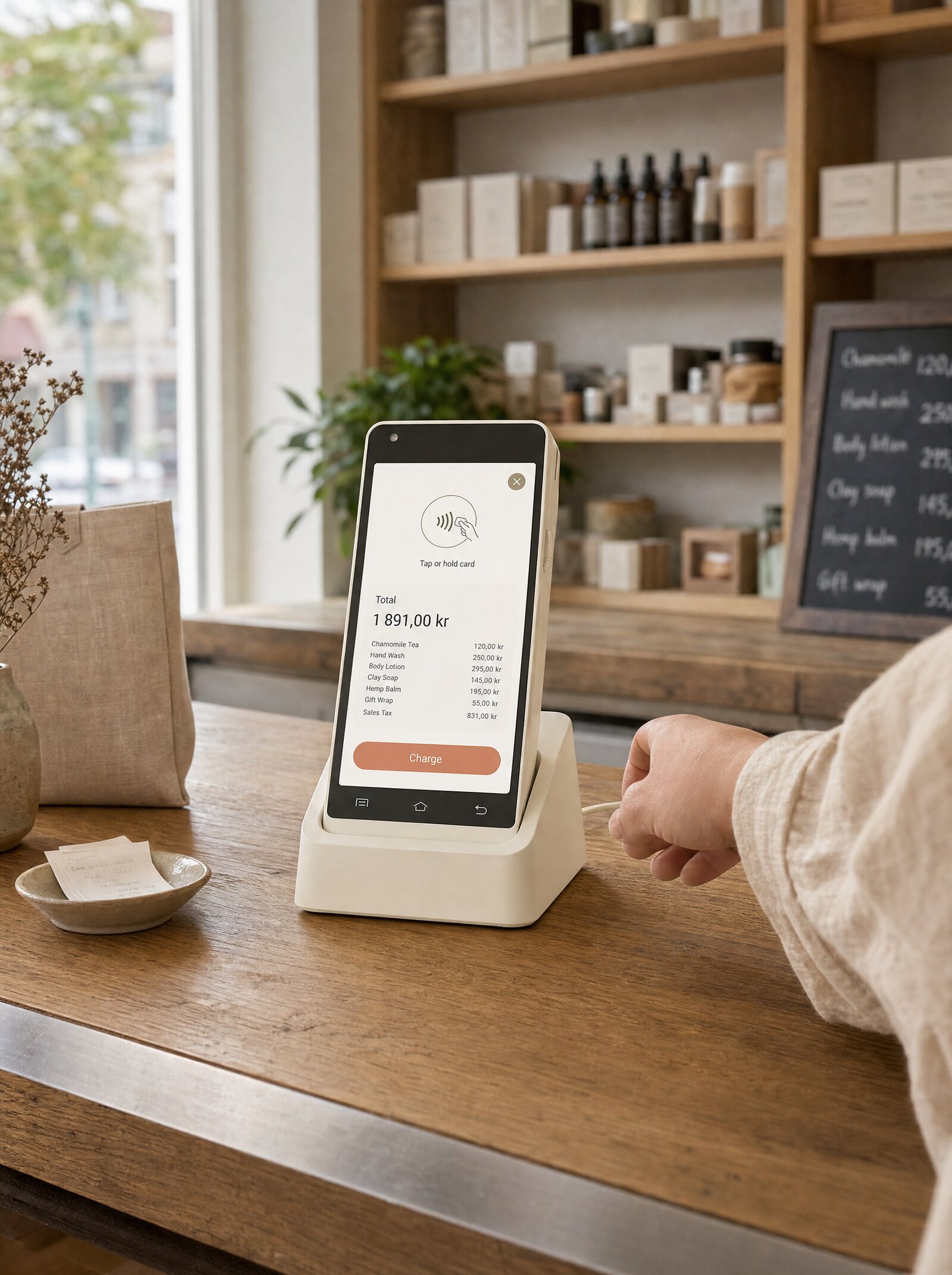
Your Brand. Our Infrastructure.
Twelve Branding API endpoints. Four levels of cascading configuration. Every customer-facing surface — portals, hosted pages, terminals, receipts — themed to match your identity. Surfboard runs the rails. Your brand runs the experience.
Full White-Label, Not Cosmetic Theming
Most "white-label" payment products mean you can change a logo and a color. Surfboard goes further. Twelve dedicated Branding endpoints, four hierarchical levels, and every customer-facing surface in scope.
Configure branding programmatically — no support ticket, no provisioning delay, no "contact your account manager." Your platform writes a theme, our infrastructure renders it. Across every channel and every merchant.
Why this matters for partners
Your merchants are your relationship. Your investors expect a differentiated brand. Your support team needs the customer to know whose product they're using. Surfboard staying invisible — by design, on every surface — is what makes the platform work for serious partners.
How Branding Works
Set the partner-level theme
                          PATCH /partners/:partnerId/branding
{
  "brandColor": "#0E7B6B",
  "accentColor": "#34D399",
  "backgroundColor": "#0B1220",
  "footerColor": "#0F172A",
  "rectShape": "rounded",
  "fontType": "sans-serif",
  "logoUrl": "https://your-cdn/logo.svg",
  "primaryCoverImage": "https://your-cdn/hero.jpg"
}
Override per merchant, store, or terminal
                          PATCH /merchants/:merchantId/branding
{
  "brandColor": "#FF6B00",
  "logoUrl": "https://merchant-cdn/logo.svg"
}
Theme appears across every customer surface
What full white-label unlocks
Branding isn't a feature on a settings page. It's a hierarchical, programmatic system that lets partners ship branded experiences at scale.
1. Partner-Branded Merchant Portals
Your merchants log into a portal that looks like yours, not Surfboard's. Logo, colors, typography, cover imagery — every visual element is yours from day one.
- Hosted login and dashboard with your branding
- No "powered by Surfboard" footer
- Custom domain support via the Stores API
Perfect for:
- ISVs offering payments under their own brand
- Acquirers and PayFacs running merchant programs
- Banks distributing payment infrastructure
2. Hosted Payment Pages with Your Identity
When a customer hits a hosted Surfboard checkout page, they see your branding — not ours. Buttons in your shape language, fonts in your family, colors that match your other product surfaces.
Reduces drop-off from visual disconnects between your platform and the payment moment.
3. Cascading Hierarchy: Partner → Merchant → Store → Terminal
Branding is configurable at four levels, each inheriting from the one above.
- Partner — your default theme for every merchant you onboard
- Merchant — override for a specific merchant brand
- Store — override for an individual location, pop-up, or franchise
- Terminal — override an individual device for special events or campaigns
Set it once at the top. Override only where you need difference.
4. Pair with the AI API for Instant Setup
Combine with /ai/branding to onboard merchants without ever asking for design assets. The merchant pastes their website URL, we generate a theme, you write it to the Branding API. Done.
Onboarding goes from "send me your brand guidelines" to a 30-second self-serve flow.
5. Branding for Every Surface, From One API
A single Branding API call configures:
- Merchant portal pages
- Hosted checkout and payment-link pages
- Terminal lock screens and identification prompts
- Email receipts and notifications
You don't manage branding in five places. You manage it in one.
6. Built for Multi-Brand Partners
Running multiple brands under one account? Each merchant gets its own full theme. Each store can override. Customers always see the correct identity for the place they're transacting with — even when several brands sit behind the same partner integration.
Critical for franchises, marketplaces, and PayFacs serving multiple verticals.
Configurable on every level
The default theme for every merchant you onboard. Set once, inherited everywhere.
Override per merchant. Each business sees its own identity.
Per-location theming. Useful for franchises, pop-ups, and seasonal stores.
Override individual devices. Branded experiences for events, campaigns, or kiosks.
Twelve endpoints. One mental model.
Three operations — create, fetch, remove — multiplied by four levels gives you twelve focused endpoints. The shape of the request body is identical at every level. If you can theme a partner, you can theme a terminal.
Same colors. Same fonts. Same shape language. Same logo and cover image fields. The only thing that changes is the URL path.
Start branding
Set a partner default in one call. Override per merchant, store, or terminal whenever you need to. Pair with the AI API for instant theme generation from a website URL.
                            // Set the partner-level branding default
PATCH /partners/:partnerId/branding
{
  "brandColor": "#0E7B6B",
  "accentColor": "#34D399",
  "backgroundColor": "#0B1220",
  "footerColor": "#0F172A",
  "rectShape": "rounded",
  "fontType": "sans-serif",
  "logoUrl": "https://your-cdn/logo.svg",
  "iconUrl": "https://your-cdn/icon.svg",
  "primaryCoverImage": "https://your-cdn/hero.jpg",
  "secondaryCoverImage": "https://your-cdn/secondary.jpg"
}
Build it yourself
Step-by-step developer guides for everything on this page.
Configure white-label branding for terminals and payment pages. Set colors, fonts, logos, and cover images at the partner level via API or Partner Portal.
Read guide Online · GuideGenerate client-side authentication tokens for secure API access from browsers and mobile apps without exposing your API key or secret.
Read guide Online · GuideCreate merchant and partner accounts, manage user roles, register service providers, and configure external notifications via the Surfboard API.
Read guide